Hypercasual · iOS + Android · Code Craft Studios · 2026
Don't Touch
Red.
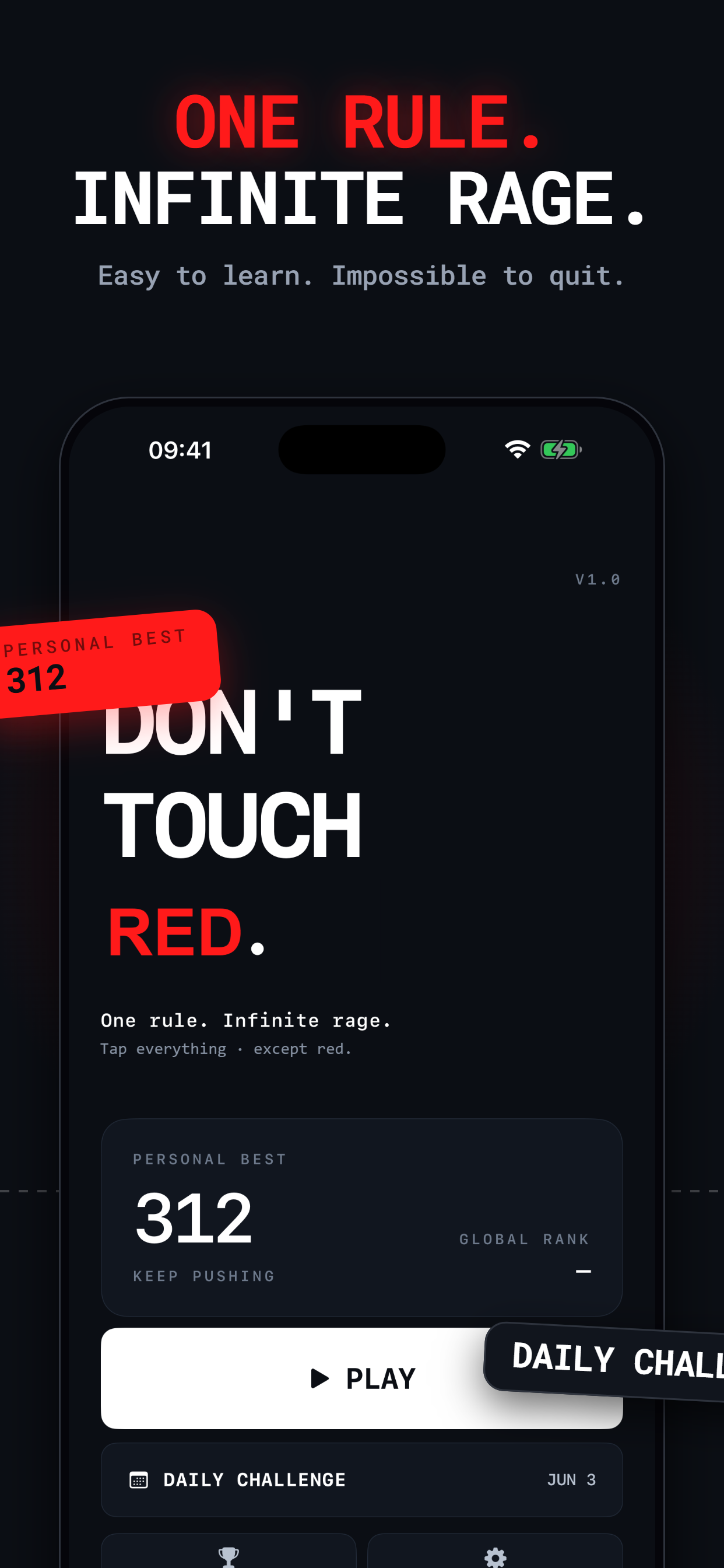
One rule. Infinite rage.
Tap everything · except red.
 Google Play · Soon
Platform
iOS · Android
Session target
15–60s / run
App size
< 50 MB
Tutorial needed
Zero.
Screenshots
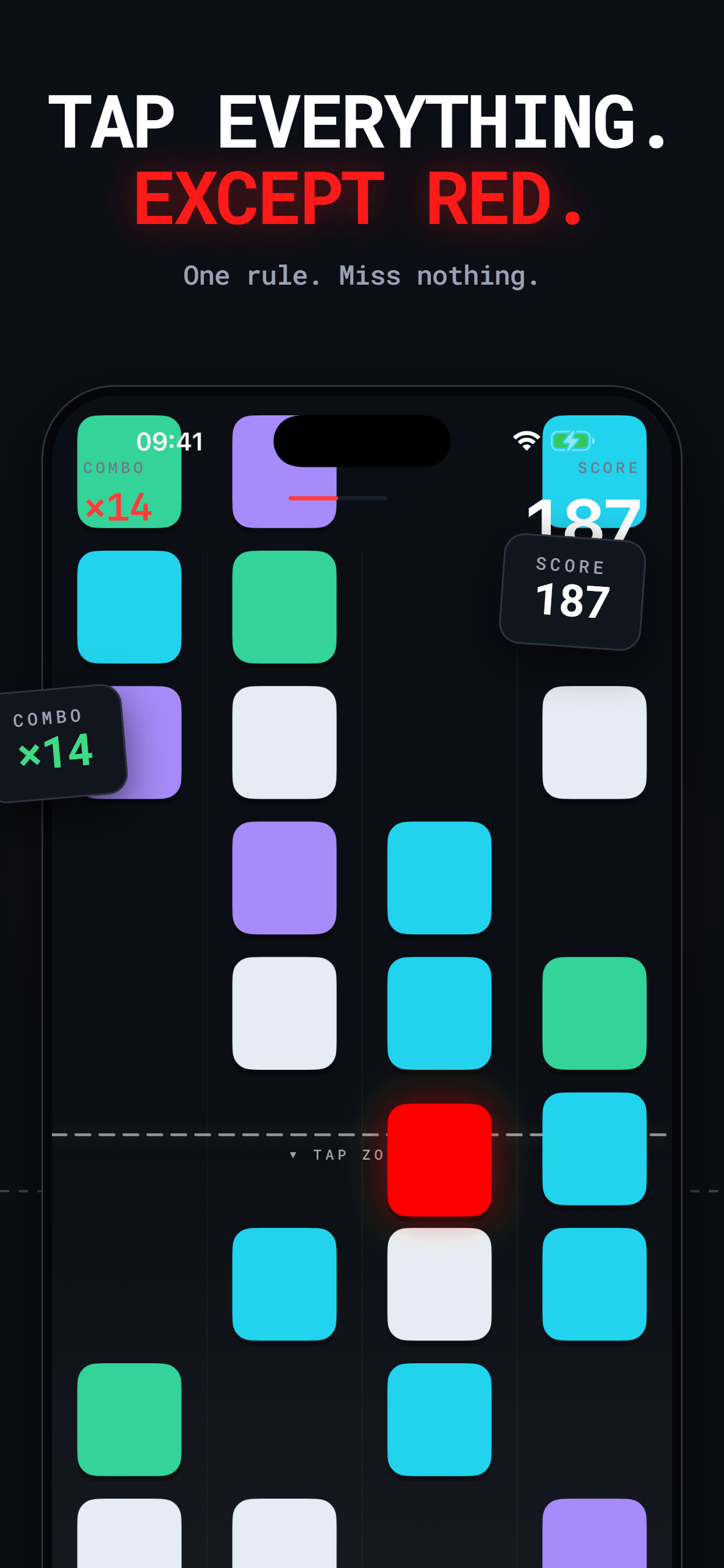
Tap everything.
Except red.
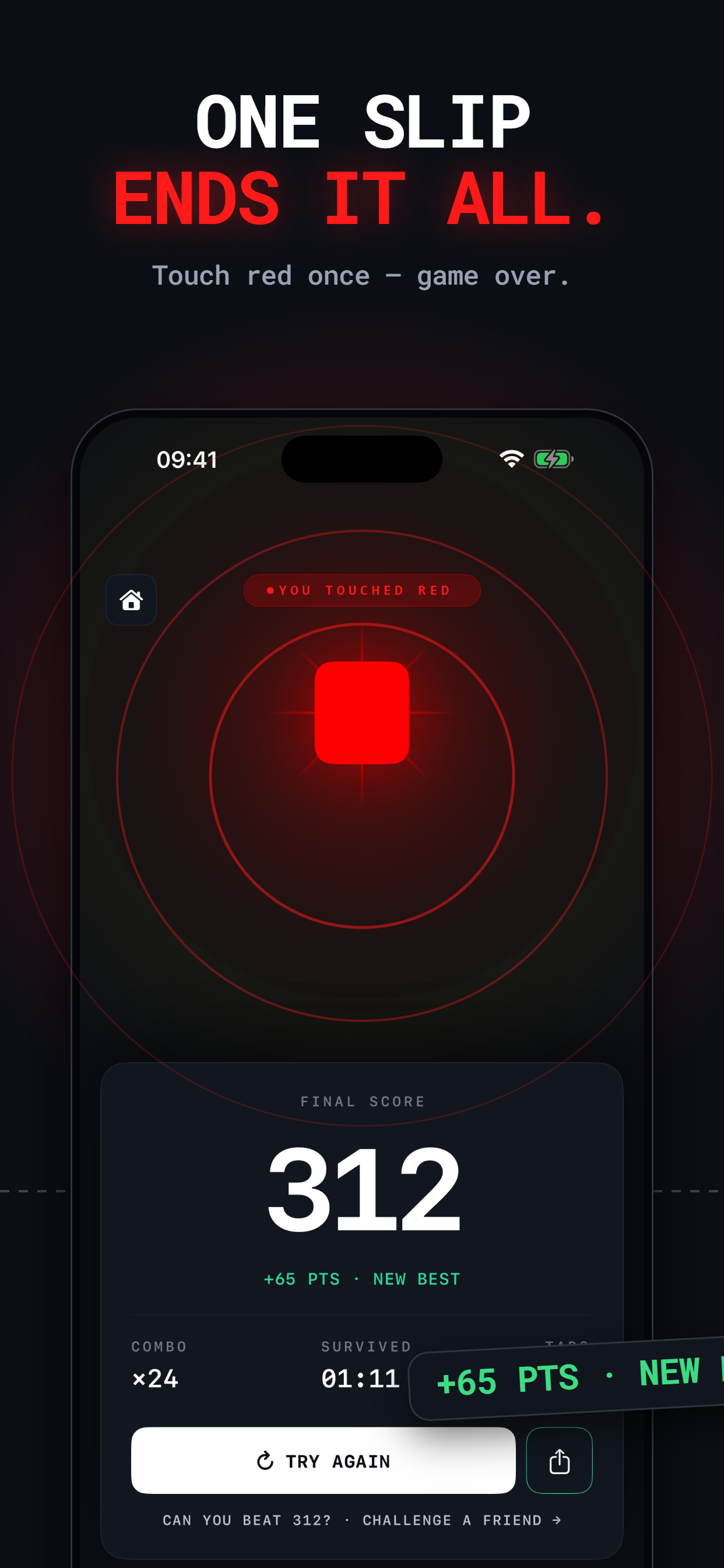
One slip
ends it all.
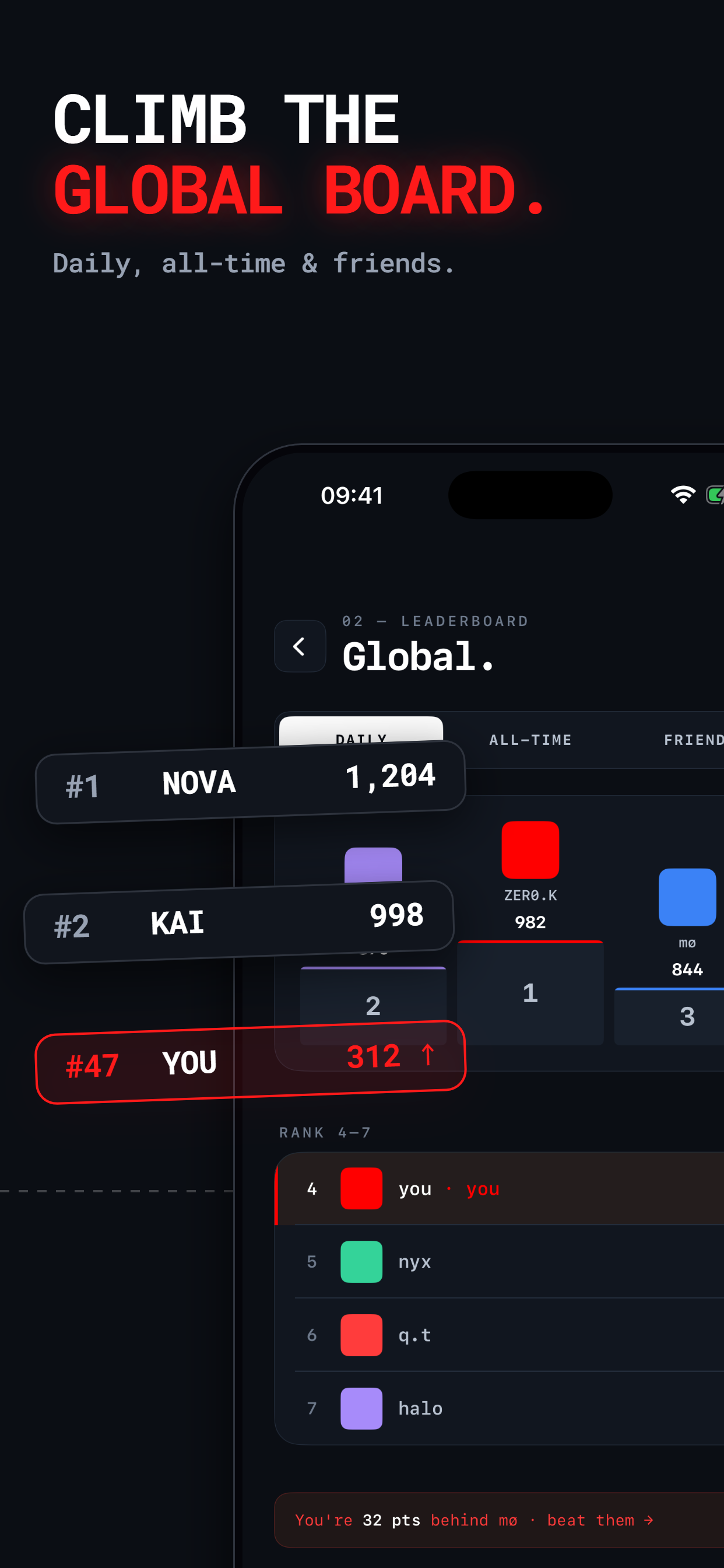
Climb the
global board.
One rule.
Infinite rage.
Don't get
overtaken.
Don't Touch Red
Free · iOS · No ads
The screens
Seven screens.
One obsession.
01 — Game
Tap everything. Except red.
Four columns. One rule.
Tiles scroll upward across a 4-column grid in five colours — cyan, purple, white, green, blue — plus red. Tap anything that enters the active lane at the bottom of the screen. Except red. Two ways to die: touch red, or fail to tap a safe tile before it exits the lane. Both are instant. Score lives top-right; a combo multiplier climbs in red on the top-left as consecutive hits stack up. Speed escalates through four phases: tutorial-easy in the first ten seconds, then steadily toward the physiological reaction-time limit at ninety. The second death is the first addiction.
02 — Fail
One slip ends it all.
The moment that shares itself.
Touch red once and the screen flares. The tile pulses with a warm burst. A score card slides up from the bottom in under a second — your final score, large, flanked by a delta: "+24 pts · new best" in green, or "14 pts from your best" in neutral. An amber Try Again button fills the lower half. A share icon sits quietly in the corner. The game over screen is the most-seen screen in the app. It's designed to look good as a three-second TikTok clip before it's designed to look good as a game screen.
03 — Ranks
Climb the global board.
Daily. All-time. Friends.
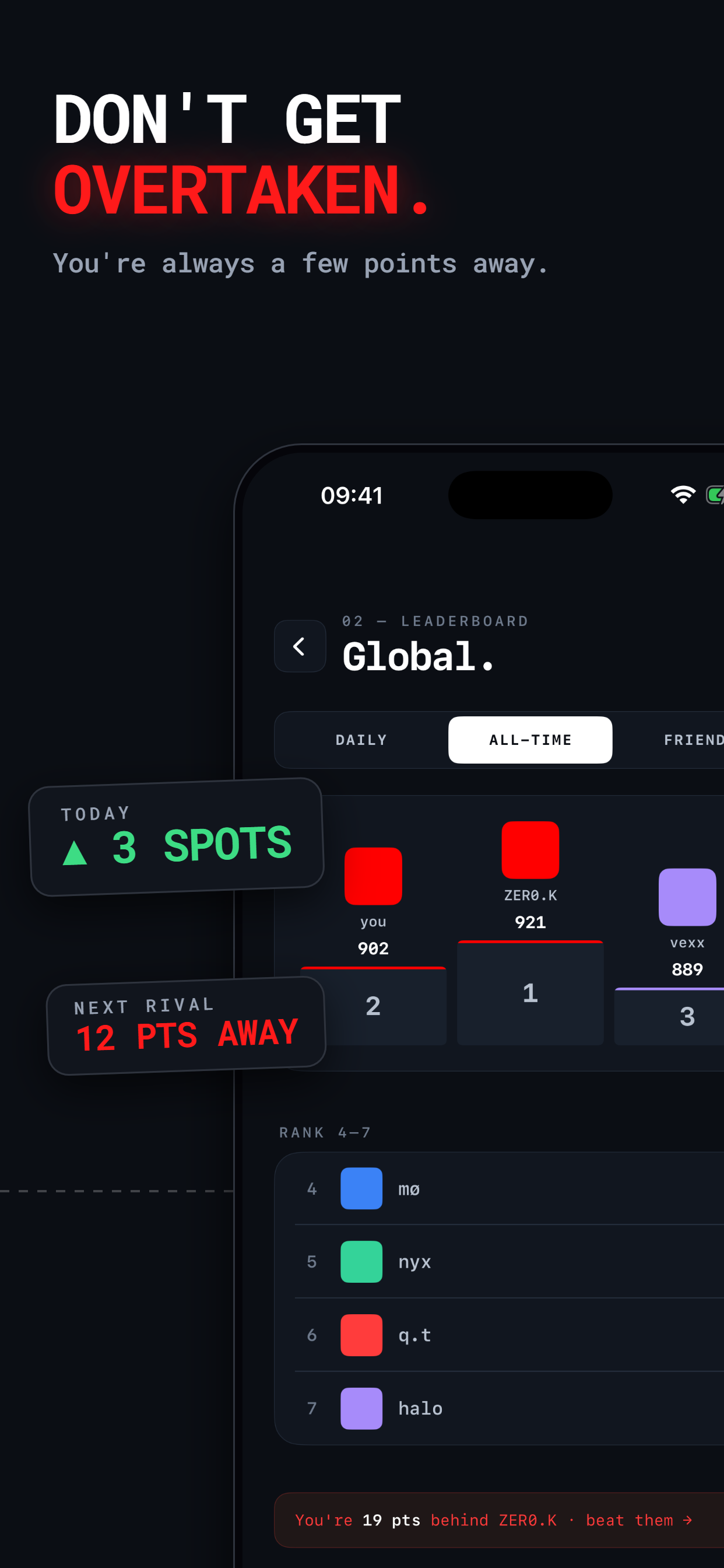
Three tabs — Daily, All-Time, Friends — with a visual podium for the top three and a scrollable ranked list below. Your row is always highlighted, no matter where you sit. A taunt strip at the bottom tells you exactly how many points separate you from the person above. Daily rankings reset every 24 hours, which means the competition resets with them. High-intent players come back each morning.
04 — Menu
One rule. Infinite rage.
One tap from playing.
The wordmark — DON'T / TOUCH / RED — where "RED" is in red and nothing else is. Your personal best, large. A PLAY button that fills most of the screen. A Daily Challenger section below it, with a daily rank position. Two secondary nav icons at the very bottom: Leaderboard and Settings. The menu earns its simplicity — every element that isn't the play button exists to remind you why you're opening the app again.
05 — Settings
Tuned to your reflexes.
Every toggle you need.
Preferences screen, two groups. Gameplay: Sound (tap tones with per-colour pitch variation), Haptics (per-tile pulse), Adaptive Difficulty, and Colorblind Aid — a mode that adds shape differentiation to the red tile so colour-blind players can compete on equal terms. About: Language, Rate Don't Touch Red, Tell a Friend. Nothing padded.
06 — Endurance
How long can you last?
Speed ramp. Hold your nerve.
Past the sixty-second mark the game enters its hardest phase — tile speed approaches the physiological reaction-time limit of around 250ms. Scores above 300 sit in elite territory; above 500 is a clip worth posting. The same 4-column grid, the same rules, the same instant death on red — but at this speed, pattern recognition has replaced conscious thought.
07 — Rivalry
Don't get overtaken.
You're always a few points away.
The leaderboard is designed to feel winnable. The gap to the next player is always shown, never hidden. “You're 30 pts behind siel · beat them →” is a one-tap challenge. All-Time shows the full record; Daily gives everyone a fair start every morning. Friends makes it personal. The three tabs together create a full competitive loop — from daily grind to long-game record-chasing.